 Français (France)
  Finnish (FI)
  English (United Kingdom)





Open project list by selecting 'Projects' from the 'Projects' main menu and click on the project name to open the project display. Scroll down and click on the 'Show tasklist' button (see picture 1) to see the task table showing project tasks. Click on the 'Delete' link to remove the task. You can also click on the task name to open the task display and click on the 'Delete' link in that display.
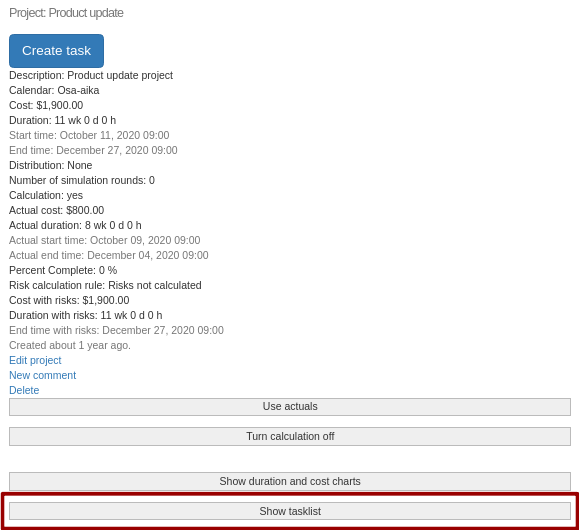
Picture 1. 'Show tasklist' button in project display.
A confirmation is asked before removal.